Run your group from your phone or email.
Text #all, #GroupName, @Name or #ADD to 240-786-1112 — or email the same commands. SMSGO shows who gets it and what it costs before anything sends.
Text or email your whole group, and run it all from your phone or your email. No dashboard needed. Need a minimum to make it happen? SMSGO counts the YESes and announces “GAME IS ON!” for you.
Text #all, #GroupName, @Name or #ADD to 240-786-1112 — or email the same commands. SMSGO shows who gets it and what it costs before anything sends.
You write once. Each person gets it the way they prefer, and replies come back to one inbox. Nobody downloads an app or makes an account.
Set the number you need. SMSGO counts YES replies and guests, and the moment you hit it, sends “GAME IS ON!” to everyone. This is what SMSGO was invented for.
And the basics organizers ask for: no subscription, the cost shown before every send, and support from the founder himself.
SMSGO has caused over 60 games to happen!
Our local group has about 80 active players. I needed a dependable way to send game requests, track who was in, and automatically send “GAME IS ON!” when we reached the number of players we needed.
That system has helped make more than 60 games happen. Then I realized the simple sending part was useful far beyond Frisbee: organizers often just need a fast, affordable way to reach their people — and sometimes they need Polls or Events to do more of the coordination for them.
If you're trusting SMSGO with your group's names and phone numbers, you should be able to see who built the service and know there is a real person behind it. I take that responsibility seriously, and organizer support is something I personally care about.
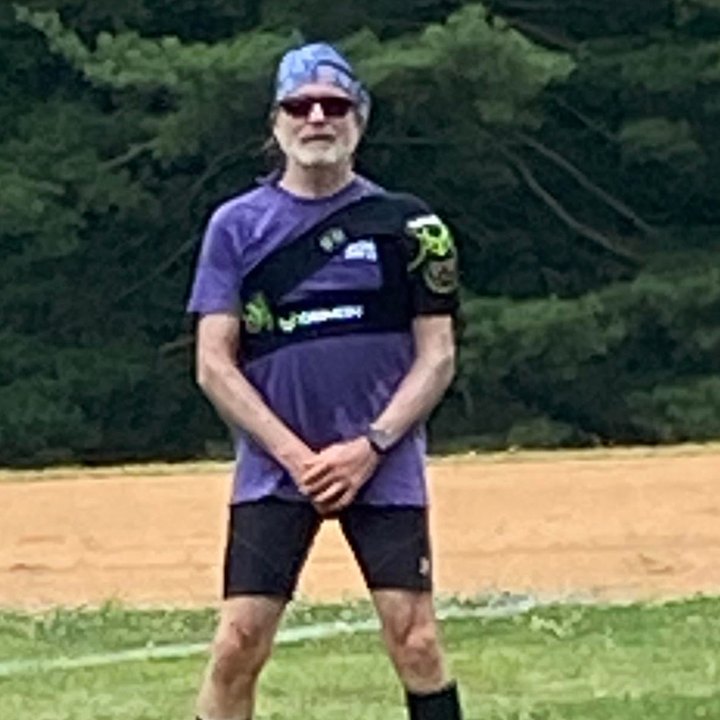
I'm also a UFA referee for the DC Breeze. Professional teams trust me to make game-deciding calls. I hope that helps you trust me with your group's contacts. Read the whole story →
I graduated from OU in 2002 with a degree in Management Information Systems. I also worked in OU IT and served as Director of the Sooner Information Network.
Don't take a faceless software company's word for it. My professional history, public posts and network are there for you to see.
A real founder. A public track record. A company page you can follow.
The image above is the actual LinkedIn profile connected to SMSGO.
Use the full web composer when you want every tool in front of you. Or skip the login and send straight from your phone or email. Tell SMSGO who should get it — everyone, a group, or one person — and we route it for you.
From your phone, text #all, #GroupName or @Name plus your message to 240-786-1112. Add someone with #ADD and their phone or email. The same commands work by email, and your Recruiters can #ADD people too. See every command →

#all#pickup@vicki
#all Practice tonight at 6. Bring water. Reply YES if you're in.Organizer → SMSGO#pickup Saturday game is at Neato Park at 10.Your members just reply to the text they received. SMSGO keeps every response together in your Inbox — and can also forward replies to your phone, your email, or both.
organize the answer.Polls help you see what the group wants. Events go one step further: SMSGO counts who is in and can automatically act when enough people say yes.
Send a poll to everyone or selected groups. People answer by text, and the results organize themselves as replies arrive. The organizer always sees the results inside SMSGO.

Turn on the RESULTS command and any member can text RESULTS to SMSGO. SMSGO sends that person the latest Poll results by text. Leave it off if you want results visible only to the organizer.
Events use the same idea, but add a threshold, live RSVP counting, automation, and the STATUS command. Most organizers start by just sending. This is what SMSGO was invented for.
Choose the minimum you need. SMSGO counts YES replies and guests as they arrive. The moment the threshold is reached, SMSGO can automatically send the message you chose — like “GAME IS ON!”
STATUS works like RESULTS does for Polls: a member can text it to get the latest event count and status by text.
Running a group shouldn’t mean paying for everything yourself. Every SMSGO group gets its own branded contribution page with your logo, banner photo, colors and description. Members text one word to chip in.
PAYDONATE and CONTRIBUTE work too. No app, no account.Share the page in a group text, an email or on a flyer. Every dollar goes toward the messages, invitations, RSVPs and reminders that keep your group together.
describe it.
Players, members and organizers have different reasons for using SMSGO. These are their words.
“In 6 months I have not shown up once to a game that reached the RSVP threshold to less than 8 players.”
“More ultimate, more certainty of ultimate, and more pleasant anticipation of ultimate.”
“Trial and error, yes, but finally perfection! Status: Game On!”
“It's unbeatable for collecting RSVPs fast! I'm never going back!”
“So so so happy I came across your platform!”
“Beyond happy with it! Thank you so much Jon!”
Your $5 goes straight into your SMSGO wallet. Use it with your real group whenever you need it.
On supported RCS phones, your contacts see SMSGO.org, our logo and a verified sender identity instead of just an unfamiliar phone number. It gives your messages a more professional, recognizable first impression.
RCS branding depends on carrier, device and messaging-client support. Verified branding improves recognition but does not guarantee carrier delivery or filtering.
We built it to make group texting simpler — and to make sure you have help when you need it.