Text a word
Any member texts PAY, CONTRIBUTE or DONATE to 240-786-1112 and gets their link back in seconds.
In more than one group?SMSGO asks which one: reply A, B or C.

Members text PAY and get their own link to your group’s branded page. They choose an amount, SMSGO covers the card fee, and the full amount goes into your group’s messaging wallet.
Pickup groups · Clubs · Co-ops · Teams · Volunteer crews · Any group that shares the cost
When a member chips in, they land on your group’s own Contribute page: your logo, your banner, your description and your color, with secure checkout built right in.
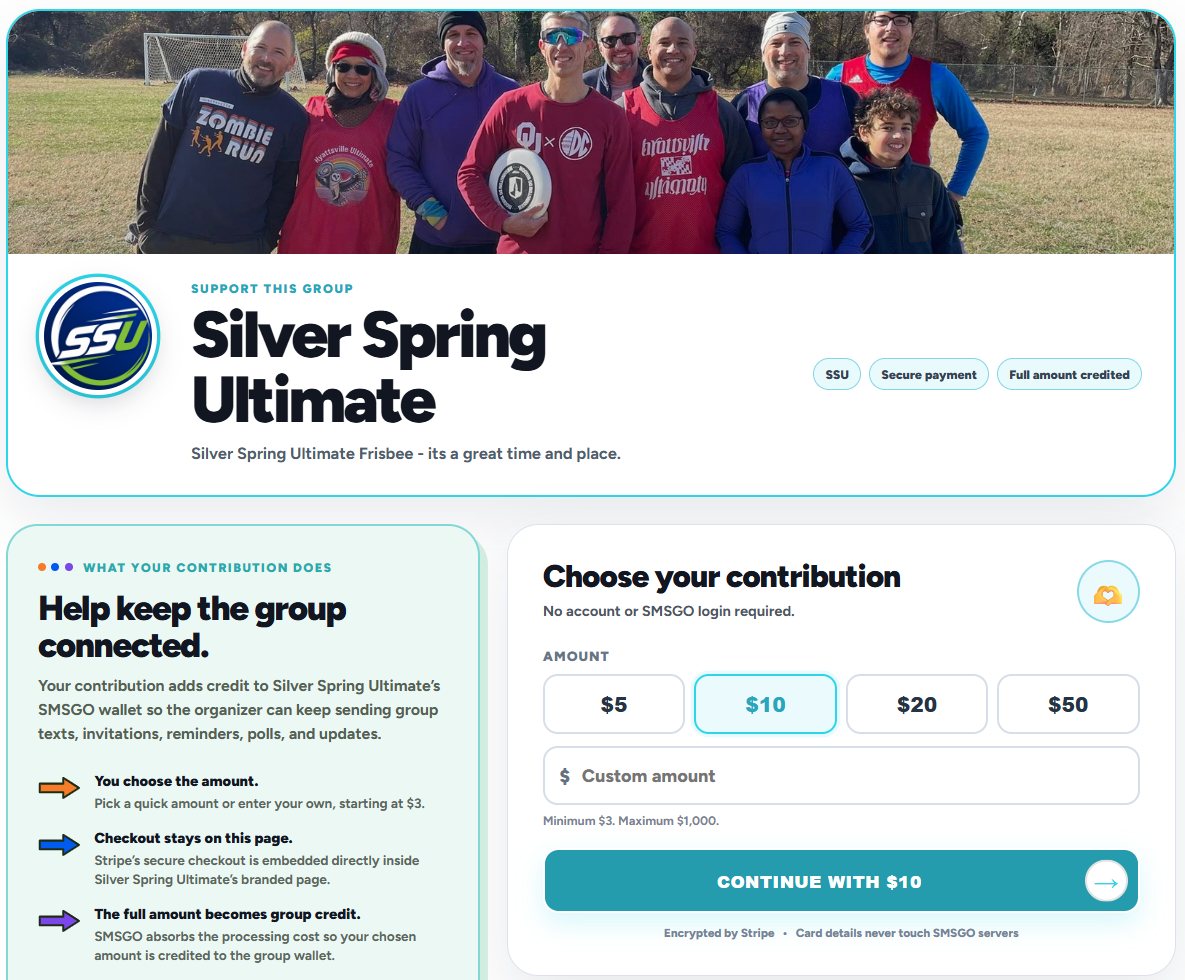
SMSGO covers the card processing fee, so $10 chipped in is $10 of messaging credit.
Texters, email members, and anyone you share the link with.
Any member texts PAY, CONTRIBUTE or DONATE to 240-786-1112 and gets their link back in seconds.
Members on email see “Chip in for group costs” at the bottom of each message, linked to their own Contribute page.
Each member’s link stays the same every time. It shows on your Links page as a short smsgo.org link, with taps counted.
Turn on contribution alerts in Settings and SMSGO tells you by email, text or both, with the new balance. Your Billing & Usage page shows the total contributed and how many members chipped in, next to what your messages cost.
Text segments are $0.03 each and emails are $0.003, so the quick amounts on the Contribute page go a long way.
People are happy to help when they know what it’s for. A few ways organizers bring it up, without making it awkward.
Share the real number once. Most people have never thought about what group texts cost, and they’re glad to cover their share.
Set up a text-back answer so a member who texts HELPOUT gets the explanation and how to chip in, any time.
Right after a great game, a sold-out event or a smooth tournament weekend, people remember why the messages matter.
Your alert tells you who chipped in. A quick personal text goes a long way, and it’s one tap with @Name.
Stripe’s checkout is built into your group’s page. Card details never touch SMSGO’s servers, and members don’t need an account.
SMSGO covers the processing fee, so the amount a member chooses is the amount your group gets.
Contributions become prepaid SMSGO credit for your group’s messages. The page says so plainly, so members know exactly what they’re supporting.
They text PAY, CONTRIBUTE or DONATE to 240-786-1112. All three words do the same thing: SMSGO texts back their own link to your group’s Contribute page, where they choose an amount and pay securely.
Any amount from $3 to $1,000. The page has quick buttons for $5, $10, $20 and $50, or they can type their own amount.
Not for you or your members. SMSGO covers the card processing fee, so the full amount a member chooses is credited to your group’s wallet.
No. There’s no account, login or app. They open their link, pick an amount and pay through Stripe’s secure checkout, built into your group’s page.
Into your group’s SMSGO wallet as prepaid messaging credit, used for your texts, emails and photo texts. It’s wallet support, not a charitable donation. For fundraising, text your group a link to your own donation page and see how many people tapped it.
Yes, if you turn on contribution alerts in Settings. SMSGO tells you by email, text or both, with the member’s name, the amount and your new balance. Billing & Usage shows the total contributed and how many members chipped in.
Yes. Every email SMSGO sends to a member includes a “Chip in for group costs” link to their own Contribute page.
SMSGO texts back a short list of their groups. They reply with a letter to choose, and get the link for that group.
Yes. Your group’s logo, banner, color and description appear on both your Join page and your Contribute page. Upload or change them in Settings.
Every group gets a branded Contribute page, and every member can chip in with one text.
No subscription · Full amount credited · No messaging activity = $0

Text and email for people on the go. Reach your group, hear back, and coordinate what happens next.
Start for $5 Or text DEMO to 240-786-1112